
Tutorial
Your first comparison
You will install FilterHelm, add two instances, and see where their managed entries differ. Comparing them does not change either instance.
You need Docker with Compose and two Pi-hole instances running FTL 6.x. You also need an app password for each instance.
-
Start FilterHelm.
Download the standalone Compose sample and start the published image.
Terminal window curl -fsSLO https://raw.githubusercontent.com/nulthara/filterhelm/main/compose.ghcr.yamldocker compose -f compose.ghcr.yaml up -ddocker compose -f compose.ghcr.yaml exec filterhelm python -m app.auth set-password --username adminSet your administrator password when prompted. The sample uses the published
ghcr.io/nulthara/filterhelm:latestimage. Pin a version tag for anything long-lived. -
Sign in.
Open
http://127.0.0.1:8420/on the host running FilterHelm. Sign in asadminwith the password you just set.The sample sets
FILTERHELM_COOKIE_SECURE=falsefor plain HTTP on loopback. Use this setting only on loopback. Production needs HTTPS. -
Add your two instances.
Open Instances. Add each instance with a display name, its bare HTTP or HTTPS origin, and its app password. Test the connection before saving. Repeat for the other instance, then check that both are reachable.
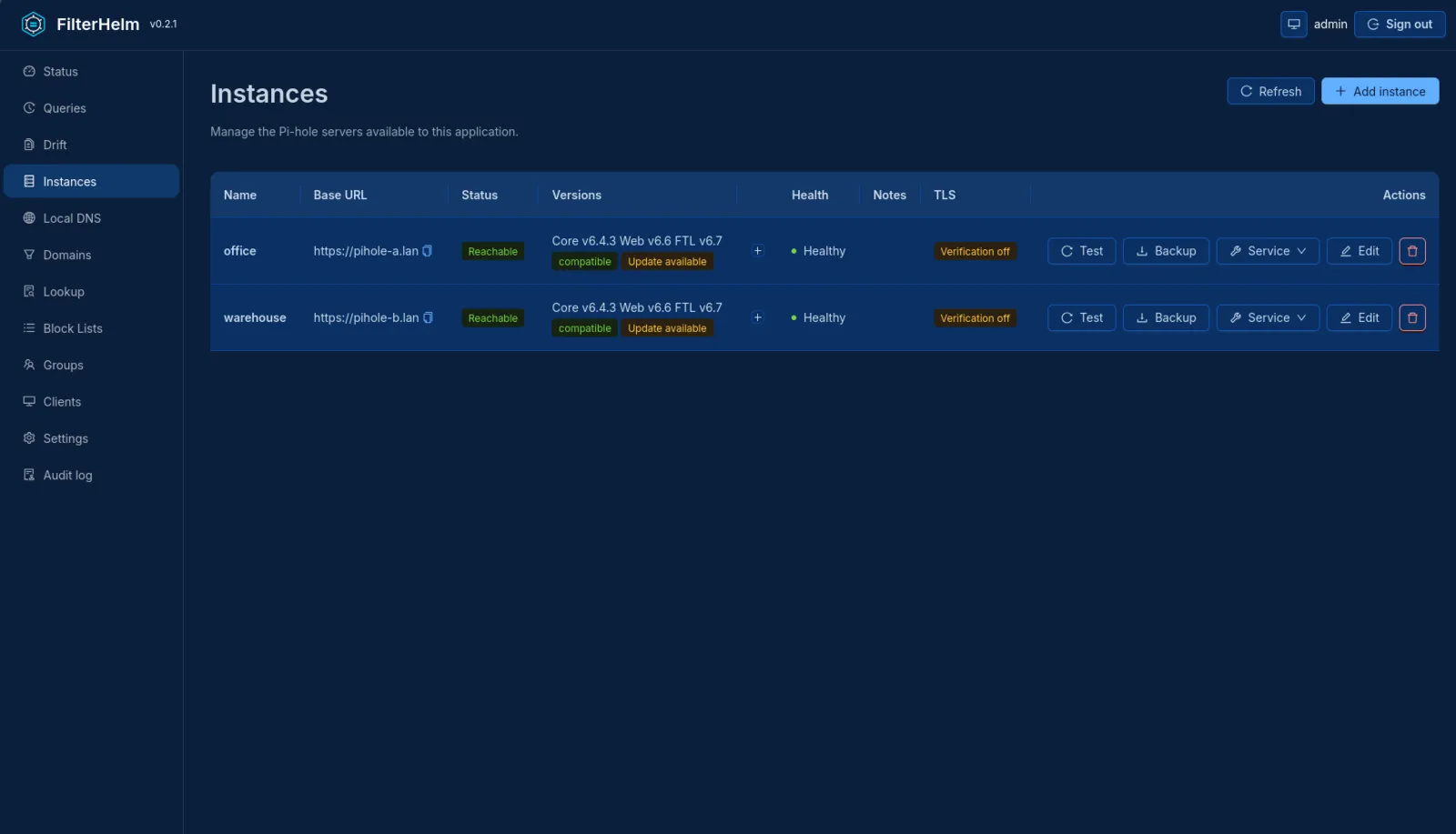
-
Open Drift.
Open Drift to compare managed entries. A missing entry exists on some reachable instances but not others. A conflict means the instances disagree on its value. An unreachable instance is reported as an error, not as missing entries.
You need at least two reachable instances for a comparison. If nothing differs, Drift has no differing rows to show. Refresh when you want to compare again.
To act on a difference, follow its Fix in link. Review the entry on the owning page and confirm a change for one instance. A CNAME row opens the CNAME records tab of Local DNS.
For backups and later upgrades, read more in the upgrade and backup guide.